Connecting to GitLab
TurboCI uses GitLab's runner authentication tokens (glrt-...), the workflow
GitLab has used since 15.10. Registration tokens are not supported.
Create a runner
Pick the scope the runner should serve:
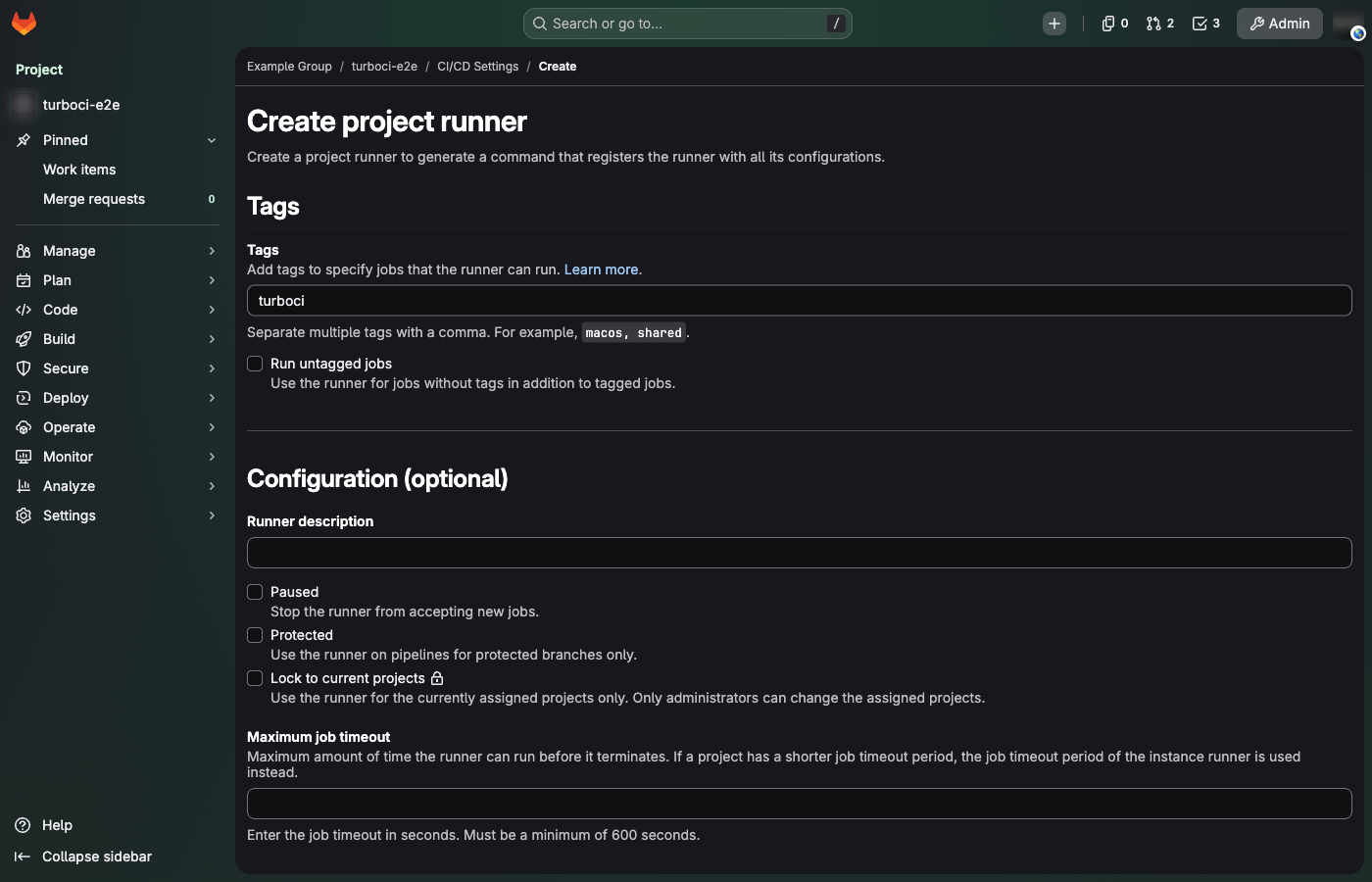
Settings → CI/CD → Runners → New project runner. Only this project's jobs run on it.
Build → Runners → New group runner on the group. Every project in the group can use it. Needs the Owner role on the group.
Admin → CI/CD → Runners → New instance runner. Every project can use it. Needs an administrator.
On the form:
- Tags: add a tag such as
turboci. Jobs choose the runner withtags: [turboci]. - Run untagged jobs: leave it off unless TurboCI should also take jobs without tags.
- Maximum job timeout (optional): caps the timeout of jobs on this runner.
Click Create runner and copy the token shown in step 1 (it starts with
glrt-). The gitlab-runner register command on that page is not needed.
Creating runners with the API
Runners can also be created with a personal access token that has the
create_runner scope:
curl -s -X POST -H "PRIVATE-TOKEN: $PAT" "https://gitlab.example.com/api/v4/user/runners" \
  -d runner_type=project_type -d project_id=42 -d tag_list=turboci -d run_untagged=false \
  | jq -r .token
Install and register
curl -sSL https://raw.githubusercontent.com/ismoilovdevml/turboci/main/install.sh \
  | sudo bash -s -- --url https://gitlab.example.com --token glrt-XXXX
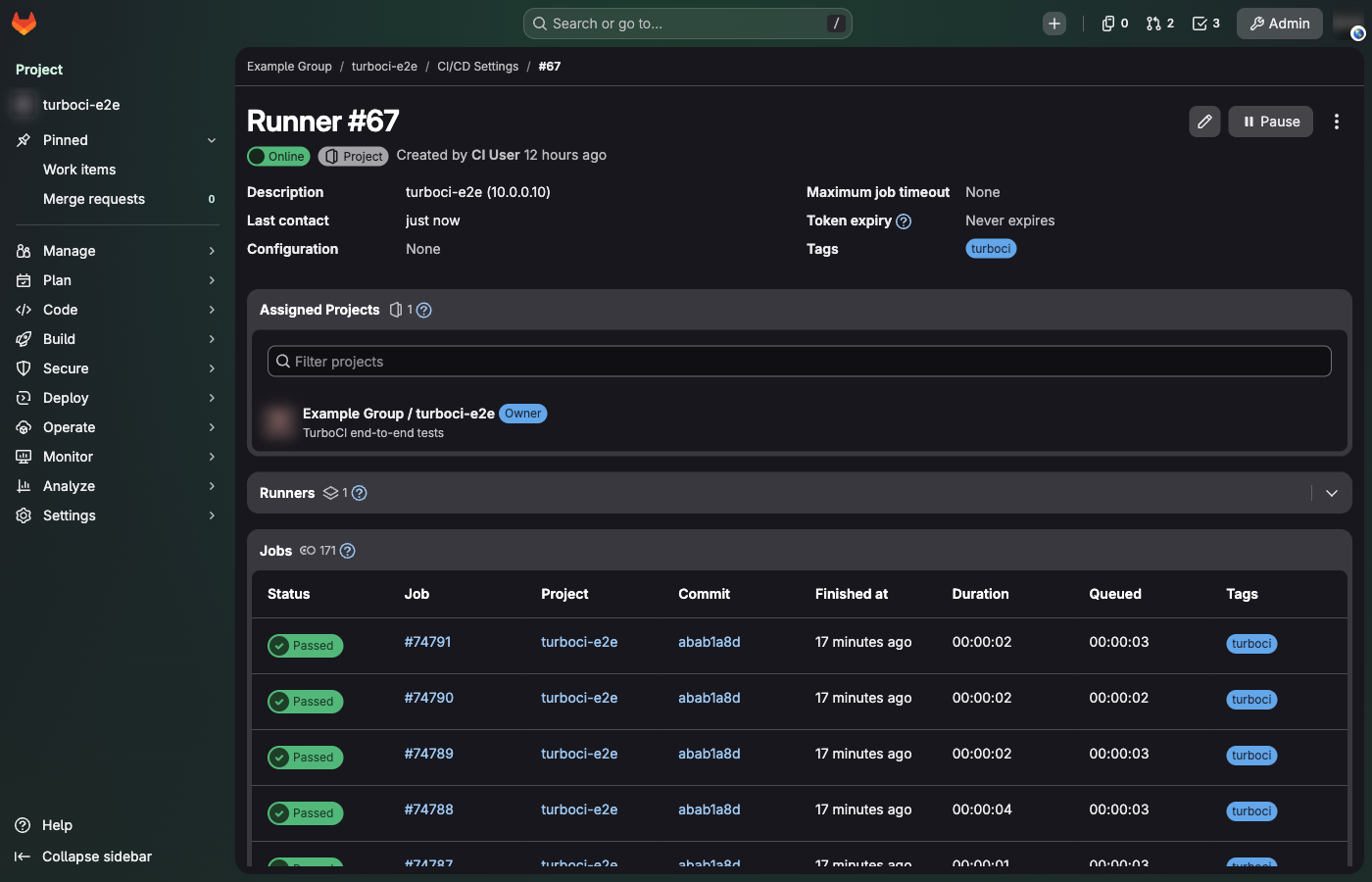
After a few seconds the runner is Online under Settings → CI/CD → Runners, and its page lists the jobs it ran:
To change the token or URL later, edit /etc/turboci-runner.toml and run
sudo systemctl restart turboci, or run the installer again with --token.
Use it in a pipeline
Point jobs at the runner with its tag:
default:
  tags: [turboci]

build:
  image: rust:1.82
  script:
    - cargo build --release
  cache:
    key: $CI_COMMIT_REF_SLUG
    paths: [target/]
  artifacts:
    paths: [target/release/app]

test:
  image: rust:1.82
  needs: [build]
  services:
    - name: postgres:16
      alias: db
  variables:
    POSTGRES_PASSWORD: ci
  script:
    - cargo test
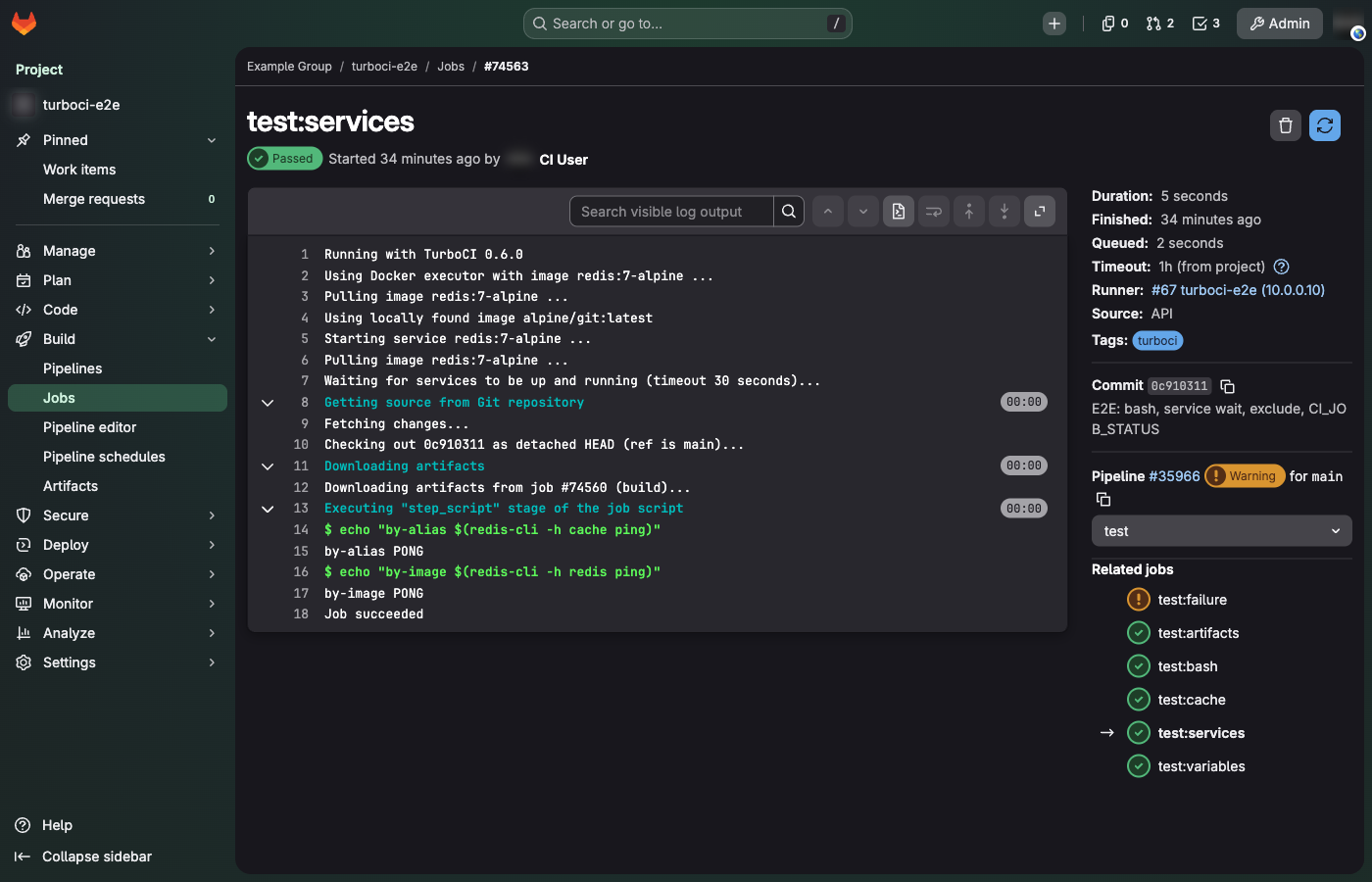
The job log starts with Running with TurboCI <version>, and each phase
(sources, cache, script, artifacts) is a collapsible section:
GitLab with a self-signed or internal certificate
Give the installer the CA certificate (PEM) that signed GitLab's certificate:
curl -sSL https://raw.githubusercontent.com/ismoilovdevml/turboci/main/install.sh \
  | sudo bash -s -- --url https://gitlab.internal --token glrt-XXXX --tls-ca-file ./internal-ca.pem
The runner trusts it for API calls, and jobs get it as
CI_SERVER_TLS_CA_FILE and GIT_SSL_CAINFO, so git inside jobs trusts it
too. In an existing config, set tls_ca_file = "/path/to/ca.pem".
Runner token expiry
If the GitLab instance gives runner tokens an expiry, TurboCI renews the token after three quarters of its lifetime, like gitlab-runner. See token rotation.
Running next to gitlab-runner
TurboCI and gitlab-runner can share a host and a Docker daemon. TurboCI only
touches containers and networks it labels with its own system ID
(turboci.runner=<id>), named turboci-job-*. Give each runner its own tags
so a job is routed to the one you mean.